
Explore the powerful features of Kemena3D Studio, designed to help developers and creators build immersive 3D applications with ease. Access advanced rendering, scripting, physics, and asset management tools through an intuitive editor, allowing you to bring your ideas to life without extensive programming knowledge.
We provide a simple way to export your creations to multiple platforms without needing to understand the underlying implementation. Planned platform support includes Windows, macOS, Linux, FreeBSD, Android, iOS, Xbox, PlayStation, Nintendo Switch, and more. With a single project file, you can build and deploy across all supported platforms.

Easily assemble characters and scene props using building blocks such as skeletal meshes, textures, and materials, then add components like physics and logic graphs to create reusable prefabs for your game. Everything is done visually and can be tested instantly inside the editor without ever leaving the program.
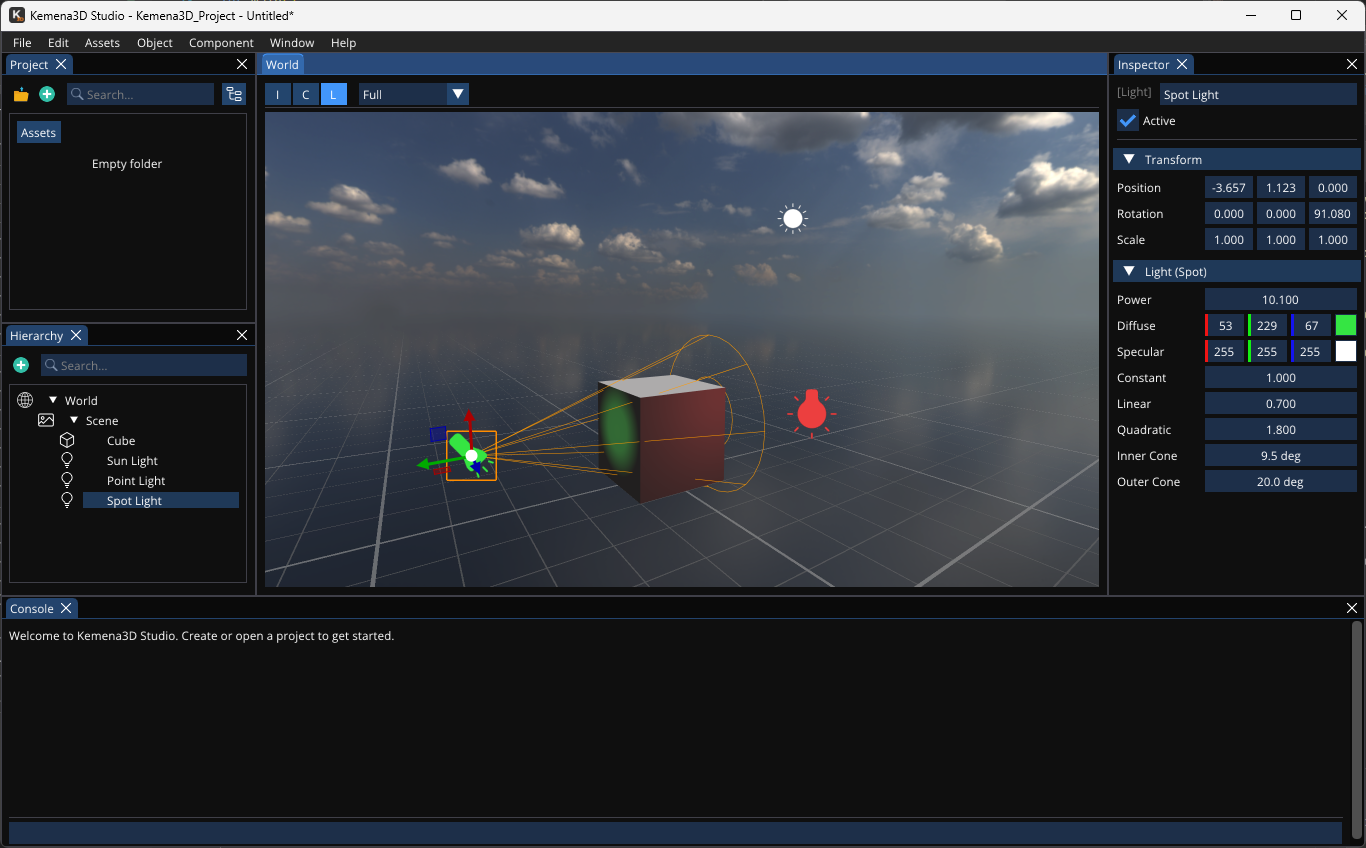
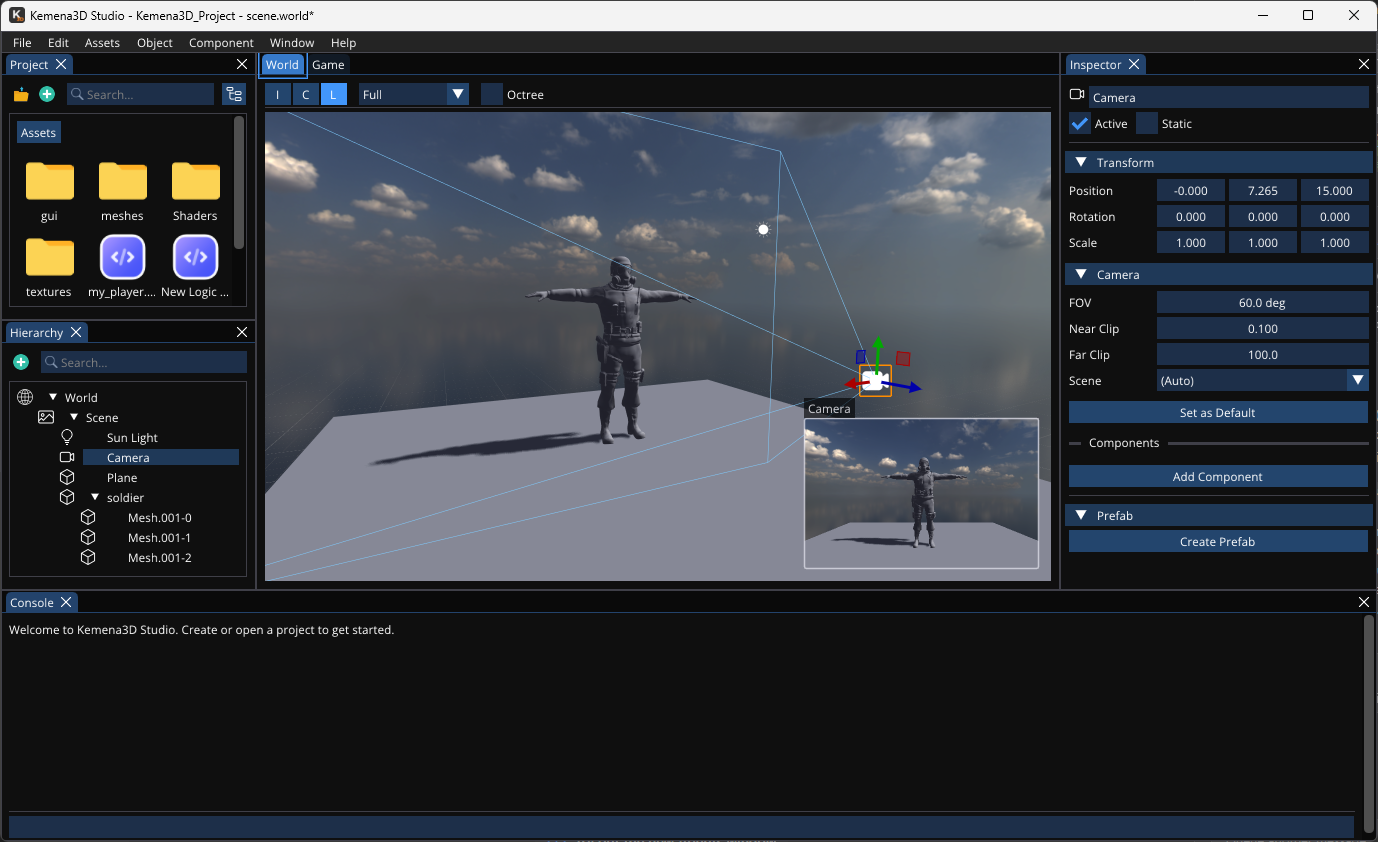
Kemena3D Studio automatically detects changes to your project assets and processes them to ensure compatibility with the target platform. You can also safely organize or rename assets directly in the editor without breaking references in scripts or prefabs.
When assets are placed in a world, they are instantiated with unique identifiers to ensure they don’t conflict with other similar assets. Our UUID system manages these connections automatically in the background, so you don’t have to worry about it. Performance optimizations such as occlusion culling and level of detail (LOD) are also applied to improve efficiency.
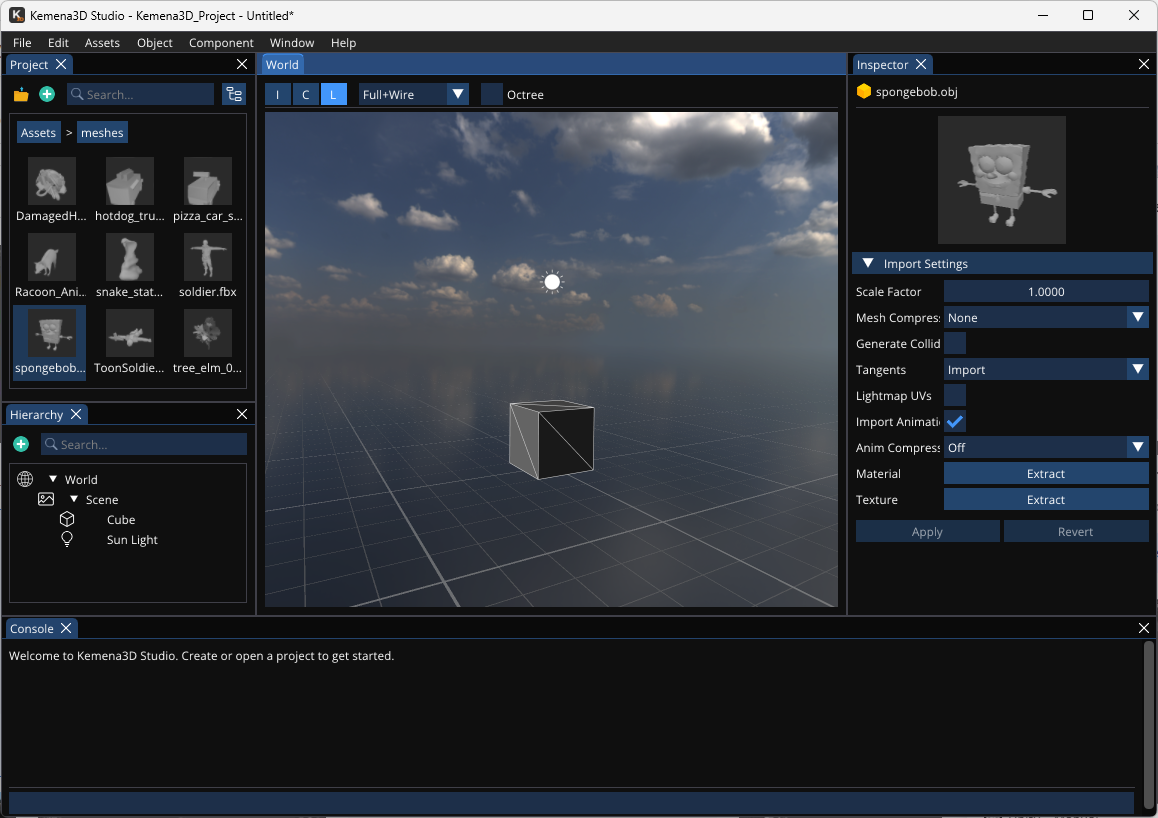
If the default shaders don’t fully meet your artistic or technical requirements, you can take full advantage of our intuitive node-based shader editor to design and extend your own shaders on top of the existing base shader system. This visual workflow makes it easy to experiment, iterate, and build complex shading logic without needing to write low-level shader code, while still giving you the power and flexibility needed for advanced rendering effects.
With this system, you can create a wide variety of visual styles and effects, from realistic materials to stylized or experimental looks, with significantly less effort. Once created, these shaders can be fine-tuned through adjustable parameters, allowing you and your team to easily modify their behavior in real time. They can also be reused across multiple assets within your scene or project, ensuring consistency, improving workflow efficiency, and making it easier to maintain a unified visual style throughout your game or application.
In addition to AngelScript, which is fully supported as a powerful and flexible option for in-game scripting, we also provide a visual node-based editor that allows you to build gameplay logic through an intuitive, graph-driven workflow. This system is designed to make scripting more accessible by letting you design game behavior visually, connecting nodes that represent functions, events, and logic flow without needing to write traditional code.
Behind the scenes, all node-based logic is automatically converted into optimized AngelScript, ensuring the same level of performance and integration as manually written scripts. The generated code is then packaged directly into the game during the build process, so it runs seamlessly at runtime. This gives you the best of both worlds, fast iteration and ease of use through visual programming, combined with the power, flexibility, and efficiency of a fully featured scripting language.
We provide an easy way to debug visual performance and scripting issues directly in the editor. Instead of relying on standard scene views, you can switch to specialized visualization modes that isolate key data such as normals, depth, mesh IDs, and lighting, making it easier to spot hidden rendering problems.
For scripting, the editor allows you to display runtime data and debug messages in real time, helping you trace logic issues as they happen. The engine also performs pre-compilation and syntax checks before build time, ensuring errors are caught early and your code is validated before shipping.
Since this is an open-source project, you’re free to customize it as needed and extend it with features tailored to your specific project requirements. You can modify it to solve unique challenges and adapt it to your workflow.
If you need more specialized or advanced customization, you can also reach out to us. With our experience developing this software, we’re happy to help provide tailored solutions and support your customization needs.
Explore the powerful features of Kemena3D Studio, designed to help developers and creators build immersive 3D applications with ease. Access advanced rendering, scripting, physics, and asset management tools through an intuitive editor, allowing you to bring your ideas to life without extensive programming knowledge.
We provide a simple way to export your creations to multiple platforms without needing to understand the underlying implementation. Planned platform support includes Windows, macOS, Linux, FreeBSD, Android, iOS, Xbox, PlayStation, Nintendo Switch, and more. With a single project file, you can build and deploy across all supported platforms.
Easily assemble characters and scene props using building blocks such as skeletal meshes, textures, and materials, then add components like physics and logic graphs to create reusable prefabs for your game. Everything is done visually and can be tested instantly inside the editor without ever leaving the program.
Kemena3D Studio automatically detects changes to your project assets and processes them to ensure compatibility with the target platform. You can also safely organize or rename assets directly in the editor without breaking references in scripts or prefabs.
When assets are placed in a world, they are instantiated with unique identifiers to ensure they don’t conflict with other similar assets. Our UUID system manages these connections automatically in the background, so you don’t have to worry about it. Performance optimizations such as occlusion culling and level of detail (LOD) are also applied to improve efficiency.
If the default shaders don’t fully meet your artistic or technical requirements, you can take full advantage of our intuitive node-based shader editor to design and extend your own shaders on top of the existing base shader system. This visual workflow makes it easy to experiment, iterate, and build complex shading logic without needing to write low-level shader code, while still giving you the power and flexibility needed for advanced rendering effects.
With this system, you can create a wide variety of visual styles and effects, from realistic materials to stylized or experimental looks, with significantly less effort. Once created, these shaders can be fine-tuned through adjustable parameters, allowing you and your team to easily modify their behavior in real time. They can also be reused across multiple assets within your scene or project, ensuring consistency, improving workflow efficiency, and making it easier to maintain a unified visual style throughout your game or application.
In addition to AngelScript, which is fully supported as a powerful and flexible option for in-game scripting, we also provide a visual node-based editor that allows you to build gameplay logic through an intuitive, graph-driven workflow. This system is designed to make scripting more accessible by letting you design game behavior visually, connecting nodes that represent functions, events, and logic flow without needing to write traditional code.
Behind the scenes, all node-based logic is automatically converted into optimized AngelScript, ensuring the same level of performance and integration as manually written scripts. The generated code is then packaged directly into the game during the build process, so it runs seamlessly at runtime. This gives you the best of both worlds, fast iteration and ease of use through visual programming, combined with the power, flexibility, and efficiency of a fully featured scripting language.
We provide an easy way to debug visual performance and scripting issues directly in the editor. Instead of relying on standard scene views, you can switch to specialized visualization modes that isolate key data such as normals, depth, mesh IDs, and lighting, making it easier to spot hidden rendering problems.
For scripting, the editor allows you to display runtime data and debug messages in real time, helping you trace logic issues as they happen. The engine also performs pre-compilation and syntax checks before build time, ensuring errors are caught early and your code is validated before shipping.
Since this is an open-source project, you’re free to customize it as needed and extend it with features tailored to your specific project requirements. You can modify it to solve unique challenges and adapt it to your workflow.
If you need more specialized or advanced customization, you can also reach out to us. With our experience developing this software, we’re happy to help provide tailored solutions and support your customization needs.
Explore the powerful features of Kemena3D Studio, designed to help developers and creators build immersive 3D applications with ease. Access advanced rendering, scripting, physics, and asset management tools through an intuitive editor, allowing you to bring your ideas to life without extensive programming knowledge.
We provide a simple way to export your creations to multiple platforms without needing to understand the underlying implementation. Planned platform support includes Windows, macOS, Linux, FreeBSD, Android, iOS, Xbox, PlayStation, Nintendo Switch, and more. With a single project file, you can build and deploy across all supported platforms.
Easily assemble characters and scene props using building blocks such as skeletal meshes, textures, and materials, then add components like physics and logic graphs to create reusable prefabs for your game. Everything is done visually and can be tested instantly inside the editor without ever leaving the program.
Kemena3D Studio automatically detects changes to your project assets and processes them to ensure compatibility with the target platform. You can also safely organize or rename assets directly in the editor without breaking references in scripts or prefabs.
When assets are placed in a world, they are instantiated with unique identifiers to ensure they don’t conflict with other similar assets. Our UUID system manages these connections automatically in the background, so you don’t have to worry about it. Performance optimizations such as occlusion culling and level of detail (LOD) are also applied to improve efficiency.
If the default shaders don’t fully meet your artistic or technical requirements, you can take full advantage of our intuitive node-based shader editor to design and extend your own shaders on top of the existing base shader system. This visual workflow makes it easy to experiment, iterate, and build complex shading logic without needing to write low-level shader code, while still giving you the power and flexibility needed for advanced rendering effects.
With this system, you can create a wide variety of visual styles and effects, from realistic materials to stylized or experimental looks, with significantly less effort. Once created, these shaders can be fine-tuned through adjustable parameters, allowing you and your team to easily modify their behavior in real time. They can also be reused across multiple assets within your scene or project, ensuring consistency, improving workflow efficiency, and making it easier to maintain a unified visual style throughout your game or application.
In addition to AngelScript, which is fully supported as a powerful and flexible option for in-game scripting, we also provide a visual node-based editor that allows you to build gameplay logic through an intuitive, graph-driven workflow. This system is designed to make scripting more accessible by letting you design game behavior visually, connecting nodes that represent functions, events, and logic flow without needing to write traditional code.
Behind the scenes, all node-based logic is automatically converted into optimized AngelScript, ensuring the same level of performance and integration as manually written scripts. The generated code is then packaged directly into the game during the build process, so it runs seamlessly at runtime. This gives you the best of both worlds, fast iteration and ease of use through visual programming, combined with the power, flexibility, and efficiency of a fully featured scripting language.
We provide an easy way to debug visual performance and scripting issues directly in the editor. Instead of relying on standard scene views, you can switch to specialized visualization modes that isolate key data such as normals, depth, mesh IDs, and lighting, making it easier to spot hidden rendering problems.
For scripting, the editor allows you to display runtime data and debug messages in real time, helping you trace logic issues as they happen. The engine also performs pre-compilation and syntax checks before build time, ensuring errors are caught early and your code is validated before shipping.
Since this is an open-source project, you’re free to customize it as needed and extend it with features tailored to your specific project requirements. You can modify it to solve unique challenges and adapt it to your workflow.
If you need more specialized or advanced customization, you can also reach out to us. With our experience developing this software, we’re happy to help provide tailored solutions and support your customization needs.