
Explore the powerful capabilities of the Kemena3D SDK, designed to give developers full access to the performance and features of the underlying technology while maintaining the freedom to build solutions their own way. By integrating proven open-source libraries into a unified framework, the Kemena3D SDK provides a solid foundation for creating high-performance games and interactive 3D applications, with the flexibility to customize and extend it to meet your project's needs.
The engine currently uses the modern OpenGL rendering API, providing cross-platform compatibility right out of the box with minimal setup. In the future, support for additional rendering backends such as DirectX and Vulkan is planned, allowing greater flexibility to meet various performance requirements and platform-specific needs.
SDL 3 is integrated into the engine to manage window creation and input events across multiple platforms. This integration enables seamless deployment and consistent behavior on Windows, macOS, Linux, Android, iOS, and other supported operating systems, streamlining cross-platform development.


Under the hood, the engine leverages Assimp to support a wide range of popular 3D model formats, including FBX, GLTF, OBJ, and many more. For greater control and optimization, you can easily disable unused format support during the build process to reduce the final executable size.
Animation control is managed through dedicated animation and animator classes, allowing you to seamlessly switch between different animation states. This system provides fine-grained control over mesh animations, making it easy to implement state-based transitions such as idle, walk, run, or custom behavior.
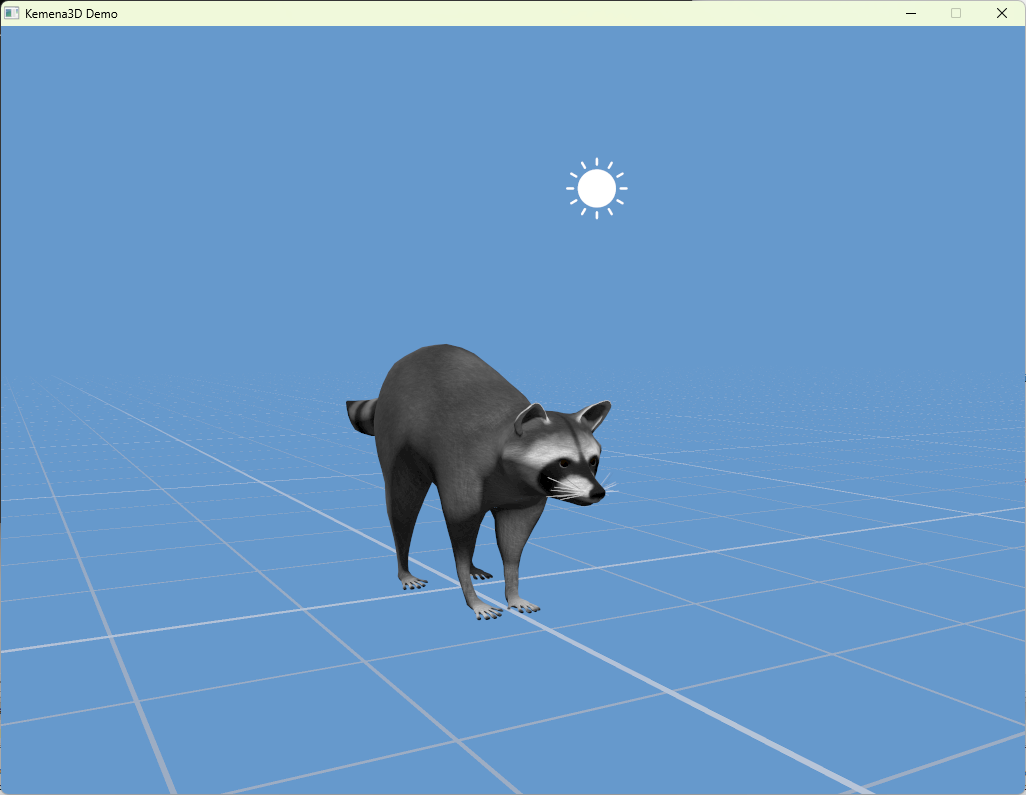
In Kemena3D, a game level is referred to as a World. Each World can contain multiple Scenes, enabling flexible scene management and seamless transitions. This architecture allows you to render different scenes to separate viewports. For example, displaying a selected character’s profile image or a real-time minimap, giving you greater control over complex multi-scene setups and UI integrations.
Every object in the scene can be easily serialized to or deserialized from JSON or BSON formats, allowing for straightforward saving and loading of assets. Each object is also assigned a unique UDID, making it easy to locate and reference objects within your logic scripts for dynamic interactions and state management.
The engine supports modern shader programming, enabling the creation of advanced visual effects for your games or applications. It currently utilizes GLSL as its shading language, offering flexibility and performance on OpenGL-based platforms. In the future, support for Slang is being considered to improve cross-platform shader portability and integration with multiple rendering backends.
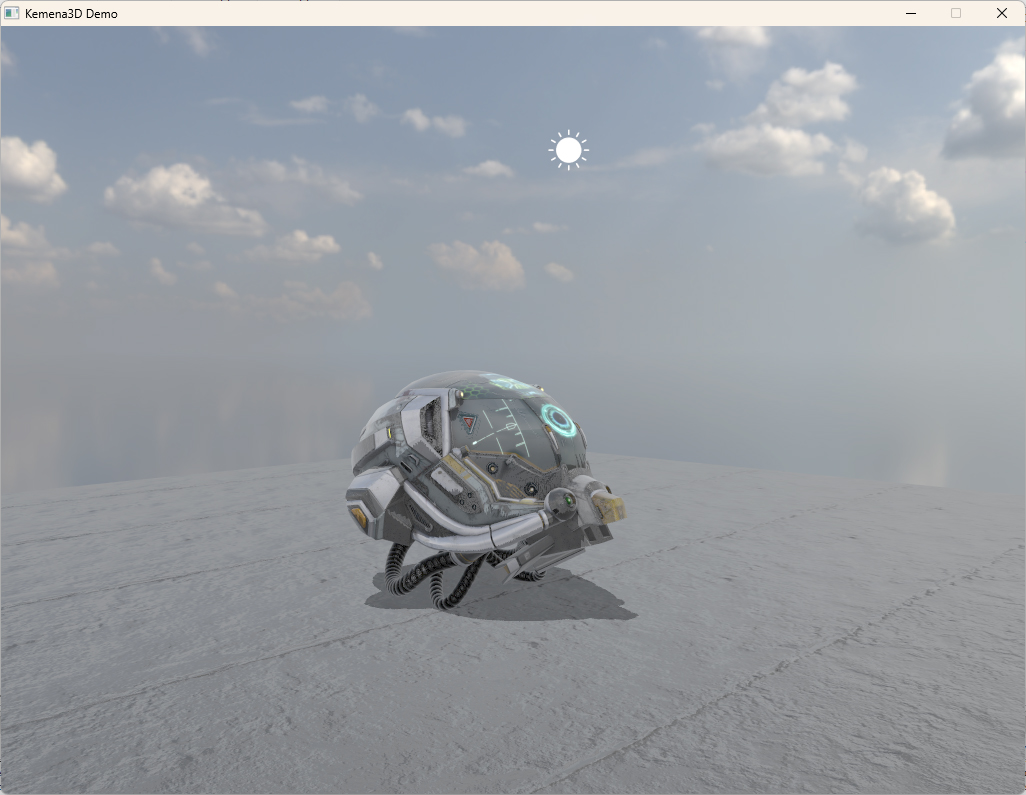
The engine includes built-in template shaders for both Phong and Physically Based Rendering (PBR) shading models, ready to use out of the box. Additionally, it fully supports loading and integrating custom shaders, giving you the flexibility to implement your own rendering techniques as needed.
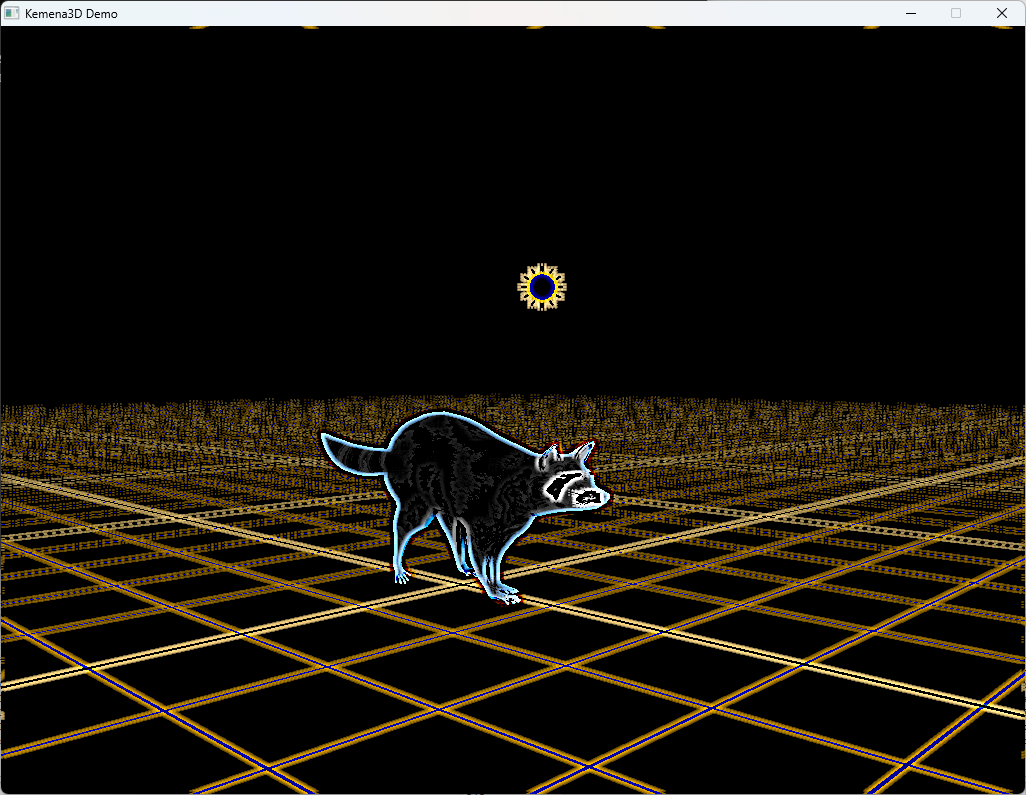
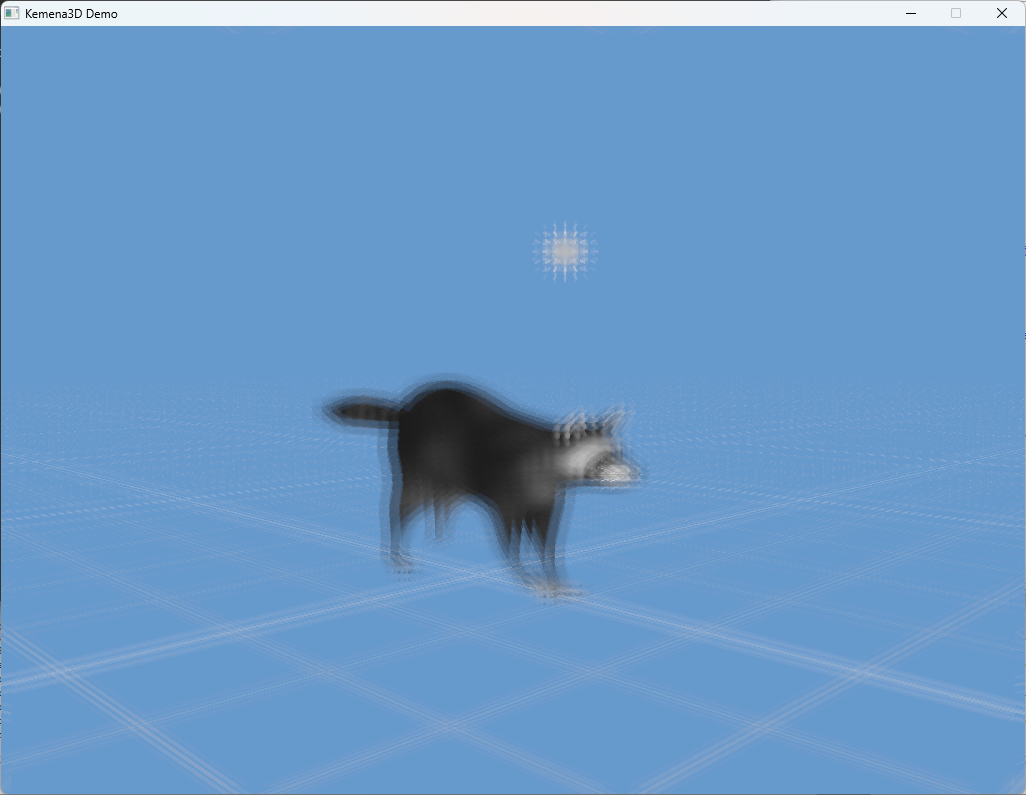
By default, the render buffer is drawn onto a screen-aligned quad, allowing you to apply custom shaders to create a wide range of post-processing effects. The engine also provides additional data such as screen luminance, motion vectors, and depth maps, enabling you to implement advanced screen effects like automatic brightness adaptation, motion blur, and more.
Not only is the engine itself open source, but we’ve also carefully chosen only open-source dependencies with permissive licenses. This ensures you can confidently use the engine in any type of project, commercial, non-commercial, or educational, without facing legal restrictions.
Below is a list of the included dependencies along with their respective licenses.
| Dependency | Description | License |
|---|---|---|
| AngelScript | In-game logic scripting | Zlib |
| Assimp | 3D model importing library, large library supporting many different 3D formats | BSD |
| TinyGLTF | 3D model importing library, for minimal GLTF/GLB-only import | MIT |
| GLEW | OpenGL extension loading library | Modified BSD, Modified MIT |
| GLM | C++ mathematics library for graphics | Modified MIT |
| Jolt Physics | Physics engine | MIT |
| miniaudio | Audio playback and capture library | MIT No Attribution |
| JSON for Modern C++ | JSON parser library | MIT |
| Recast and Detour | Navmesh generation and navigation library | Zlib |
| Portable File Dialogs | Portable GUI dialogs library | WTFPL |
| SDL3 | Cross-platform development library | Zlib |
| STB | Single-file C/C++ libraries | Public domain |
| Dear ImGui | GUI library | MIT |
| ImGuizmo | 3D gizmo for Dear ImGui | MIT |
We recognize that not everyone is making a game, or doing it the way we do. You might be working on a simple project with minimal development needs, and that’s completely fine. Kemena3D gives you the freedom to access its barebones C++ core, empowering you to build whatever you envision.
The editor is entirely optional, designed for those who prefer a more convenient, streamlined workflow. Beyond games, Kemena3D is also suited for non-game applications like engineering simulations, scientific visualizations, interactive media and more.
Here’s the simplest Hello World example. We’ve aimed to keep it as clean and straightforward as possible. Please note that the code may evolve as development progresses.
#include "kemena/kemena.h"

using namespace kemena;

int main()
{
    // Create window and renderer
    kWindow* window = createWindow(1024, 768, "Kemena3D Demo");
    kRenderer* renderer = createRenderer(window);
    renderer->setClearColor(kVec4(0.4f, 0.6f, 0.8f, 1.0f));

    // Create the asset manager, world and scene
    kAssetManager* assetManager = createAssetManager();
    kWorld* world = createWorld(assetManager);
    kScene* scene = world->createScene("My Scene");

    // Create a camera and a sun light
    kCamera* camera = world->addCamera(kVec3(-20.0f, 5.0f, 20.0f), kVec3(0.0f, 0.5f, 0.0f),
        kCameraType::CAMERA_TYPE_LOCKED);
    world->setMainCamera(camera);
    kLight* light_sun = scene->addSunLight(kVec3(2.0f, 5.0f, 0.0f), kVec3(0.2f, -1.0f, 0.0f),
        kVec3(1.0f, 1.0f, 1.0f), kVec3(1.0f, 1.0f, 1.0f));

    // Create a shader and a material
    kShader* shader = new kShader();
    shader->loadShadersFile("path/mesh.vert", "path/mesh_phong.frag");
    kMaterial* material = assetManager->createMaterial(shader);

    // Apply textures to the material
    kTexture2D* tex_albedo = assetManager->loadTexture2D("path/albedo.png", "albedoMap",
        kTextureFormat::TEX_FORMAT_SRGBA);
    kTexture2D* tex_normal = assetManager->loadTexture2D("path/normal.png", "normalMap",
        kTextureFormat::TEX_FORMAT_RGBA);
    kTexture2D* tex_spec = assetManager->loadTexture2D("path/specular.png", "specularMap",
        kTextureFormat::TEX_FORMAT_RGBA);

    material->addTexture(tex_albedo);
    material->addTexture(tex_normal);
    material->addTexture(tex_spec);

    // Load a 3D model and apply the material to it
    kMesh* mesh = scene->addMesh("path/model.fbx");
    mesh->setMaterial(material);

    // Game loop
    kSystemEvent event;
    while (window->getRunning())
    {
        if (event.hasEvent())
        {
            if (event.getType() == K_EVENT_QUIT)
            {
                window->setRunning(false);
            }
        }

        renderer->render(world, scene, 0, 0, window->getWindowWidth(), window->getWindowHeight(),
            window->getTimer()->getDeltaTime());
    }

    // Clean up
    renderer->destroy();
    window->destroy();
    return 0;
}Explore the powerful capabilities of the Kemena3D SDK, designed to give developers full access to the performance and features of the underlying technology while maintaining the freedom to build solutions their own way. By integrating proven open-source libraries into a unified framework, the Kemena3D SDK provides a solid foundation for creating high-performance games and interactive 3D applications, with the flexibility to customize and extend it to meet your project's needs.
The engine currently uses the modern OpenGL rendering API, providing cross-platform compatibility right out of the box with minimal setup. In the future, support for additional rendering backends such as DirectX and Vulkan is planned, allowing greater flexibility to meet various performance requirements and platform-specific needs.
SDL 3 is integrated into the engine to manage window creation and input events across multiple platforms. This integration enables seamless deployment and consistent behavior on Windows, macOS, Linux, Android, iOS, and other supported operating systems, streamlining cross-platform development.
Under the hood, the engine leverages Assimp to support a wide range of popular 3D model formats, including FBX, GLTF, OBJ, and many more. For greater control and optimization, you can easily disable unused format support during the build process to reduce the final executable size.
Animation control is managed through dedicated animation and animator classes, allowing you to seamlessly switch between different animation states. This system provides fine-grained control over mesh animations, making it easy to implement state-based transitions such as idle, walk, run, or custom behavior.
In Kemena3D, a game level is referred to as a World. Each World can contain multiple Scenes, enabling flexible scene management and seamless transitions. This architecture allows you to render different scenes to separate viewports. For example, displaying a selected character’s profile image or a real-time minimap, giving you greater control over complex multi-scene setups and UI integrations.
Every object in the scene can be easily serialized to or deserialized from JSON or BSON formats, allowing for straightforward saving and loading of assets. Each object is also assigned a unique UDID, making it easy to locate and reference objects within your logic scripts for dynamic interactions and state management.
The engine supports modern shader programming, enabling the creation of advanced visual effects for your games or applications. It currently utilizes GLSL as its shading language, offering flexibility and performance on OpenGL-based platforms. In the future, support for Slang is being considered to improve cross-platform shader portability and integration with multiple rendering backends.
The engine includes built-in template shaders for both Phong and Physically Based Rendering (PBR) shading models, ready to use out of the box. Additionally, it fully supports loading and integrating custom shaders, giving you the flexibility to implement your own rendering techniques as needed.
By default, the render buffer is drawn onto a screen-aligned quad, allowing you to apply custom shaders to create a wide range of post-processing effects. The engine also provides additional data such as screen luminance, motion vectors, and depth maps, enabling you to implement advanced screen effects like automatic brightness adaptation, motion blur, and more.
Not only is the engine itself open source, but we’ve also carefully chosen only open-source dependencies with permissive licenses. This ensures you can confidently use the engine in any type of project, commercial, non-commercial, or educational, without facing legal restrictions.
Below is a list of the included dependencies along with their respective licenses.
| Dependency | Description | License |
|---|---|---|
| AngelScript | In-game logic scripting | Zlib |
| Assimp | 3D model importing library, large library supporting many different 3D formats | BSD |
| TinyGLTF | 3D model importing library, for minimal GLTF/GLB-only import | MIT |
| GLEW | OpenGL extension loading library | Modified BSD, Modified MIT |
| GLM | C++ mathematics library for graphics | Modified MIT |
| Jolt Physics | Physics engine | MIT |
| miniaudio | Audio playback and capture library | MIT No Attribution |
| JSON for Modern C++ | JSON parser library | MIT |
| Recast and Detour | Navmesh generation and navigation library | Zlib |
| Portable File Dialogs | Portable GUI dialogs library | WTFPL |
| SDL3 | Cross-platform development library | Zlib |
| STB | Single-file C/C++ libraries | Public domain |
| Dear ImGui | GUI library | MIT |
| ImGuizmo | 3D gizmo for Dear ImGui | MIT |
We recognize that not everyone is making a game, or doing it the way we do. You might be working on a simple project with minimal development needs, and that’s completely fine. Kemena3D gives you the freedom to access its barebones C++ core, empowering you to build whatever you envision.
The editor is entirely optional, designed for those who prefer a more convenient, streamlined workflow. Beyond games, Kemena3D is also suited for non-game applications like engineering simulations, scientific visualizations, interactive media and more.
Here’s the simplest Hello World example. We’ve aimed to keep it as clean and straightforward as possible. Please note that the code may evolve as development progresses.
#include "kemena/kemena.h"

using namespace kemena;

int main()
{
    // Create window and renderer
    kWindow* window = createWindow(1024, 768, "Kemena3D Demo");
    kRenderer* renderer = createRenderer(window);
    renderer->setClearColor(kVec4(0.4f, 0.6f, 0.8f, 1.0f));

    // Create the asset manager, world and scene
    kAssetManager* assetManager = createAssetManager();
    kWorld* world = createWorld(assetManager);
    kScene* scene = world->createScene("My Scene");

    // Create a camera and a sun light
    kCamera* camera = world->addCamera(kVec3(-20.0f, 5.0f, 20.0f), kVec3(0.0f, 0.5f, 0.0f),
        kCameraType::CAMERA_TYPE_LOCKED);
    world->setMainCamera(camera);
    kLight* light_sun = scene->addSunLight(kVec3(2.0f, 5.0f, 0.0f), kVec3(0.2f, -1.0f, 0.0f),
        kVec3(1.0f, 1.0f, 1.0f), kVec3(1.0f, 1.0f, 1.0f));

    // Create a shader and a material
    kShader* shader = new kShader();
    shader->loadShadersFile("path/mesh.vert", "path/mesh_phong.frag");
    kMaterial* material = assetManager->createMaterial(shader);

    // Apply textures to the material
    kTexture2D* tex_albedo = assetManager->loadTexture2D("path/albedo.png", "albedoMap",
        kTextureFormat::TEX_FORMAT_SRGBA);
    kTexture2D* tex_normal = assetManager->loadTexture2D("path/normal.png", "normalMap",
        kTextureFormat::TEX_FORMAT_RGBA);
    kTexture2D* tex_spec = assetManager->loadTexture2D("path/specular.png", "specularMap",
        kTextureFormat::TEX_FORMAT_RGBA);

    material->addTexture(tex_albedo);
    material->addTexture(tex_normal);
    material->addTexture(tex_spec);

    // Load a 3D model and apply the material to it
    kMesh* mesh = scene->addMesh("path/model.fbx");
    mesh->setMaterial(material);

    // Game loop
    kSystemEvent event;
    while (window->getRunning())
    {
        if (event.hasEvent())
        {
            if (event.getType() == K_EVENT_QUIT)
            {
                window->setRunning(false);
            }
        }

        renderer->render(world, scene, 0, 0, window->getWindowWidth(), window->getWindowHeight(),
            window->getTimer()->getDeltaTime());
    }

    // Clean up
    renderer->destroy();
    window->destroy();
    return 0;
}Explore the powerful capabilities of the Kemena3D SDK, designed to give developers full access to the performance and features of the underlying technology while maintaining the freedom to build solutions their own way. By integrating proven open-source libraries into a unified framework, the Kemena3D SDK provides a solid foundation for creating high-performance games and interactive 3D applications, with the flexibility to customize and extend it to meet your project's needs.
The engine currently uses the modern OpenGL rendering API, providing cross-platform compatibility right out of the box with minimal setup. In the future, support for additional rendering backends such as DirectX and Vulkan is planned, allowing greater flexibility to meet various performance requirements and platform-specific needs.
SDL 3 is integrated into the engine to manage window creation and input events across multiple platforms. This integration enables seamless deployment and consistent behavior on Windows, macOS, Linux, Android, iOS, and other supported operating systems, streamlining cross-platform development.
Under the hood, the engine leverages Assimp to support a wide range of popular 3D model formats, including FBX, GLTF, OBJ, and many more. For greater control and optimization, you can easily disable unused format support during the build process to reduce the final executable size.
Animation control is managed through dedicated animation and animator classes, allowing you to seamlessly switch between different animation states. This system provides fine-grained control over mesh animations, making it easy to implement state-based transitions such as idle, walk, run, or custom behavior.
In Kemena3D, a game level is referred to as a World. Each World can contain multiple Scenes, enabling flexible scene management and seamless transitions. This architecture allows you to render different scenes to separate viewports. For example, displaying a selected character’s profile image or a real-time minimap, giving you greater control over complex multi-scene setups and UI integrations.
Every object in the scene can be easily serialized to or deserialized from JSON or BSON formats, allowing for straightforward saving and loading of assets. Each object is also assigned a unique UDID, making it easy to locate and reference objects within your logic scripts for dynamic interactions and state management.
The engine supports modern shader programming, enabling the creation of advanced visual effects for your games or applications. It currently utilizes GLSL as its shading language, offering flexibility and performance on OpenGL-based platforms. In the future, support for Slang is being considered to improve cross-platform shader portability and integration with multiple rendering backends.
The engine includes built-in template shaders for both Phong and Physically Based Rendering (PBR) shading models, ready to use out of the box. Additionally, it fully supports loading and integrating custom shaders, giving you the flexibility to implement your own rendering techniques as needed.
By default, the render buffer is drawn onto a screen-aligned quad, allowing you to apply custom shaders to create a wide range of post-processing effects. The engine also provides additional data such as screen luminance, motion vectors, and depth maps, enabling you to implement advanced screen effects like automatic brightness adaptation, motion blur, and more.
Not only is the engine itself open source, but we’ve also carefully chosen only open-source dependencies with permissive licenses. This ensures you can confidently use the engine in any type of project, commercial, non-commercial, or educational, without facing legal restrictions.
Below is a list of the included dependencies along with their respective licenses.
| Dependency | Description | License |
|---|---|---|
| AngelScript | In-game logic scripting | Zlib |
| Assimp | 3D model importing library, large library supporting many different 3D formats | BSD |
| TinyGLTF | 3D model importing library, for minimal GLTF/GLB-only import | MIT |
| GLEW | OpenGL extension loading library | Modified BSD, Modified MIT |
| GLM | C++ mathematics library for graphics | Modified MIT |
| Jolt Physics | Physics engine | MIT |
| miniaudio | Audio playback and capture library | MIT No Attribution |
| JSON for Modern C++ | JSON parser library | MIT |
| Recast and Detour | Navmesh generation and navigation library | Zlib |
| Portable File Dialogs | Portable GUI dialogs library | WTFPL |
| SDL3 | Cross-platform development library | Zlib |
| STB | Single-file C/C++ libraries | Public domain |
| Dear ImGui | GUI library | MIT |
| ImGuizmo | 3D gizmo for Dear ImGui | MIT |
We recognize that not everyone is making a game, or doing it the way we do. You might be working on a simple project with minimal development needs, and that’s completely fine. Kemena3D gives you the freedom to access its barebones C++ core, empowering you to build whatever you envision.
The editor is entirely optional, designed for those who prefer a more convenient, streamlined workflow. Beyond games, Kemena3D is also suited for non-game applications like engineering simulations, scientific visualizations, interactive media and more.
Here’s the simplest Hello World example. We’ve aimed to keep it as clean and straightforward as possible. Please note that the code may evolve as development progresses.
#include "kemena/kemena.h"

using namespace kemena;

int main()
{
    // Create window and renderer
    kWindow* window = createWindow(1024, 768, "Kemena3D Demo");
    kRenderer* renderer = createRenderer(window);
    renderer->setClearColor(kVec4(0.4f, 0.6f, 0.8f, 1.0f));

    // Create the asset manager, world and scene
    kAssetManager* assetManager = createAssetManager();
    kWorld* world = createWorld(assetManager);
    kScene* scene = world->createScene("My Scene");

    // Create a camera and a sun light
    kCamera* camera = world->addCamera(kVec3(-20.0f, 5.0f, 20.0f), kVec3(0.0f, 0.5f, 0.0f),
        kCameraType::CAMERA_TYPE_LOCKED);
    world->setMainCamera(camera);
    kLight* light_sun = scene->addSunLight(kVec3(2.0f, 5.0f, 0.0f), kVec3(0.2f, -1.0f, 0.0f),
        kVec3(1.0f, 1.0f, 1.0f), kVec3(1.0f, 1.0f, 1.0f));

    // Create a shader and a material
    kShader* shader = new kShader();
    shader->loadShadersFile("path/mesh.vert", "path/mesh_phong.frag");
    kMaterial* material = assetManager->createMaterial(shader);

    // Apply textures to the material
    kTexture2D* tex_albedo = assetManager->loadTexture2D("path/albedo.png", "albedoMap",
        kTextureFormat::TEX_FORMAT_SRGBA);
    kTexture2D* tex_normal = assetManager->loadTexture2D("path/normal.png", "normalMap",
        kTextureFormat::TEX_FORMAT_RGBA);
    kTexture2D* tex_spec = assetManager->loadTexture2D("path/specular.png", "specularMap",
        kTextureFormat::TEX_FORMAT_RGBA);

    material->addTexture(tex_albedo);
    material->addTexture(tex_normal);
    material->addTexture(tex_spec);

    // Load a 3D model and apply the material to it
    kMesh* mesh = scene->addMesh("path/model.fbx");
    mesh->setMaterial(material);

    // Game loop
    kSystemEvent event;
    while (window->getRunning())
    {
        if (event.hasEvent())
        {
            if (event.getType() == K_EVENT_QUIT)
            {
                window->setRunning(false);
            }
        }

        renderer->render(world, scene, 0, 0, window->getWindowWidth(), window->getWindowHeight(),
            window->getTimer()->getDeltaTime());
    }

    // Clean up
    renderer->destroy();
    window->destroy();
    return 0;
}